Start with a proper request
List what you need, how much you need, and when you need it before confirming the supplier.
Prepare requests for quotation, confirm supplier orders, and follow receipts and bills without losing the details.
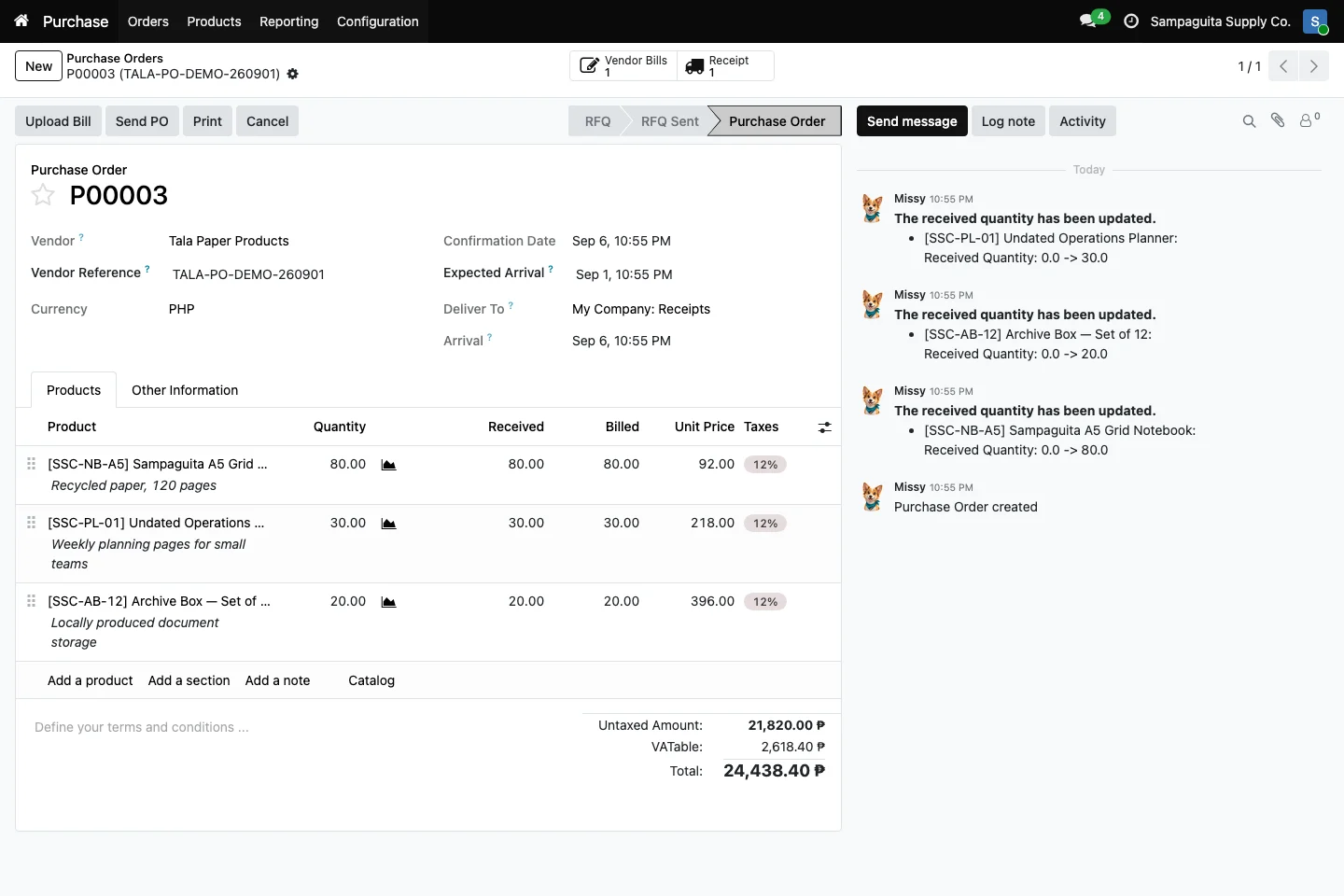
Buying becomes difficult when the request, supplier offer, delivery, and bill are kept by different people. Cayamanan gives the purchasing team one record to follow. Products, agreed costs, expected dates, received quantities, and billed quantities stay together as the order moves forward.
List what you need, how much you need, and when you need it before confirming the supplier.
With Inventory installed, received quantities and the linked receipt help buyers follow supplier performance.
With Accounting installed, the vendor bill can remain connected to the purchase that caused it.
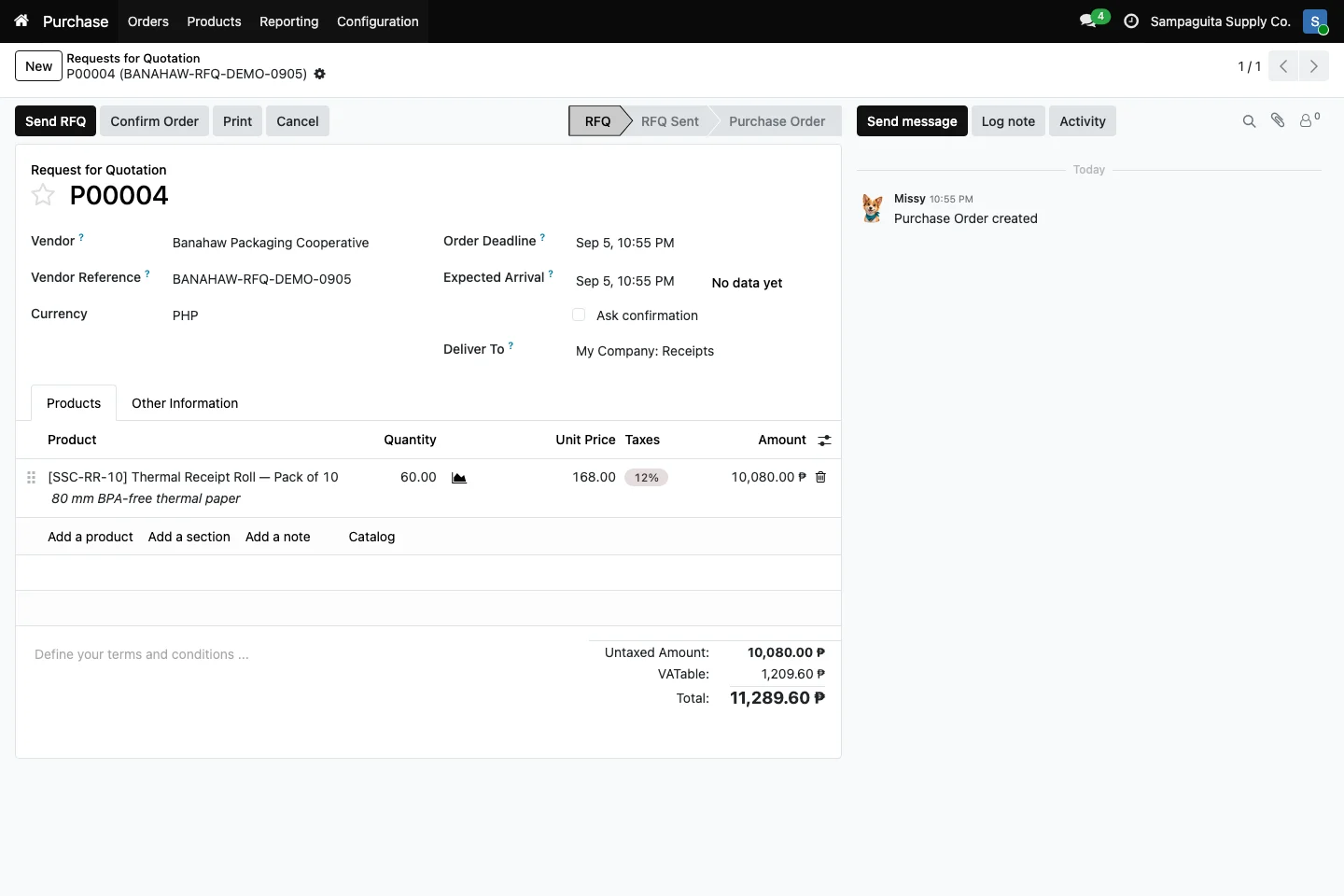
Create an RFQ with your supplier, products, quantities, prices, taxes, and expected arrival. Your team gets a clear working document before making a commitment. When the offer is accepted, confirm it as a purchase order without copying everything into a new file.
A confirmed order keeps the supplier reference, expected date, product lines, costs, and totals visible. Buyers can compare what was ordered with what was received and billed. That makes partial deliveries and unfinished supplier work easier to spot.
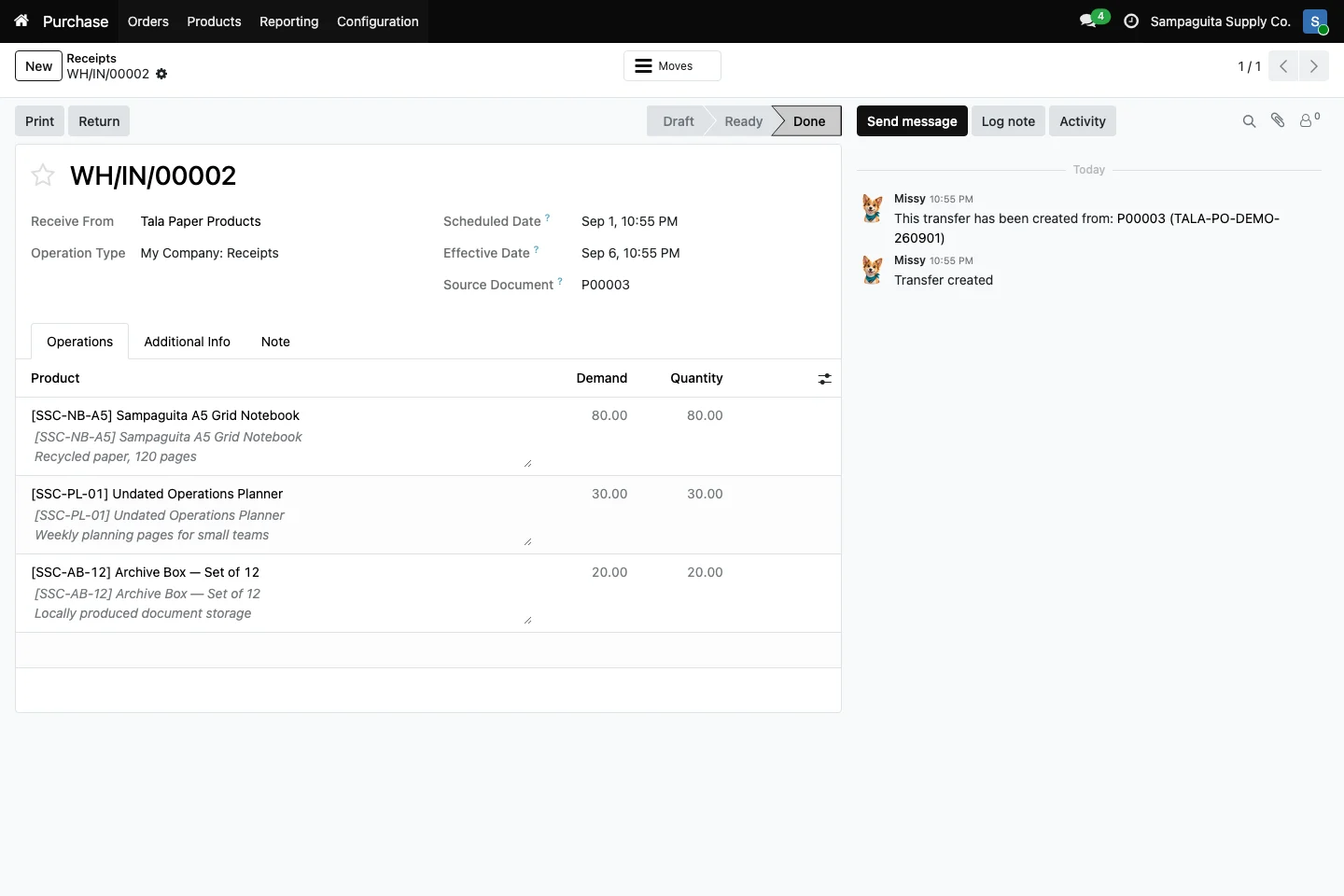
When Inventory is installed, Cayamanan creates receipt work from the confirmed purchase. Warehouse staff can check products and quantities while the source purchase remains visible. The buyer can then see that the delivery was completed without waiting for a separate update.
The steps can vary based on the tools your team uses and each person's role.
What you see can vary with the apps in use and your setup.
Yes. An RFQ remains a draft purchasing document until your team confirms the supplier order.
Yes. Received quantities can be followed against ordered quantities when Inventory is installed and configured.
Inventory rules and product settings can support replenishment decisions. The right setup depends on how your business buys and stores goods.