See what customers owe
Follow draft, posted, paid, and overdue invoices with customer and source details kept nearby.
Keep customer invoices, supplier bills, payments, and everyday business records in one financial workspace.
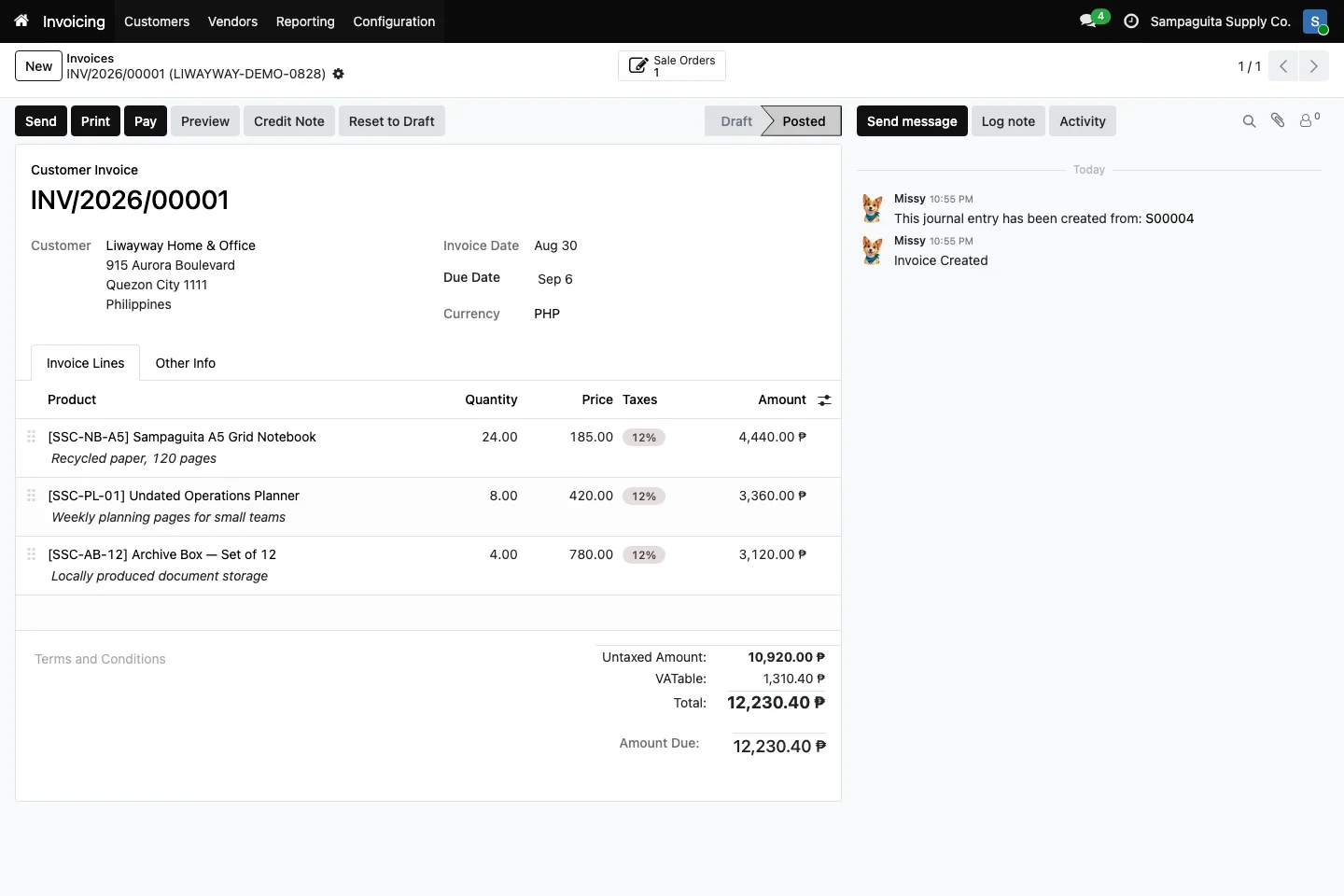
Finance should not have to chase every department for the story behind a number. Cayamanan connects invoices and bills to the customer, supplier, sale, or purchase that produced them. That gives your team a clearer view of money coming in, money going out, and documents that still need action.
Follow draft, posted, paid, and overdue invoices with customer and source details kept nearby.
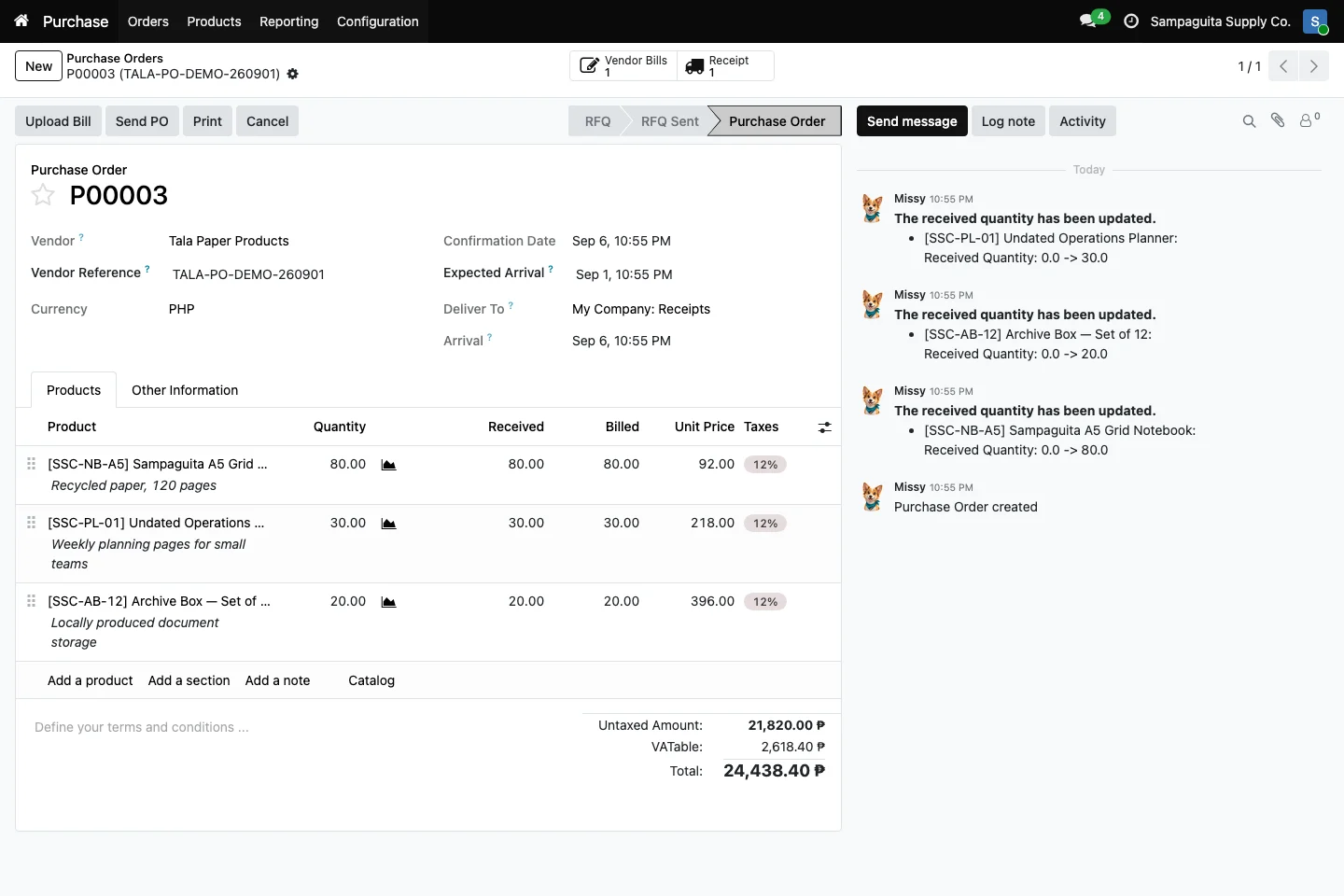
Record vendor bills and connect them to purchase activity when Purchase is installed.
Open related business records from the accounting document instead of searching through separate folders.
A customer invoice brings together the buyer, invoice date, due date, currency, products, taxes, and total. Posted documents remain visible with their status. In the demo below, Philippine peso values and the source sales order are easy to see at a glance.
The invoice can keep a link back to its sales order. Finance can review the agreed products and quantities without asking Sales to rebuild the history. The same idea applies to supplier bills and purchase records when the connected modules are installed.
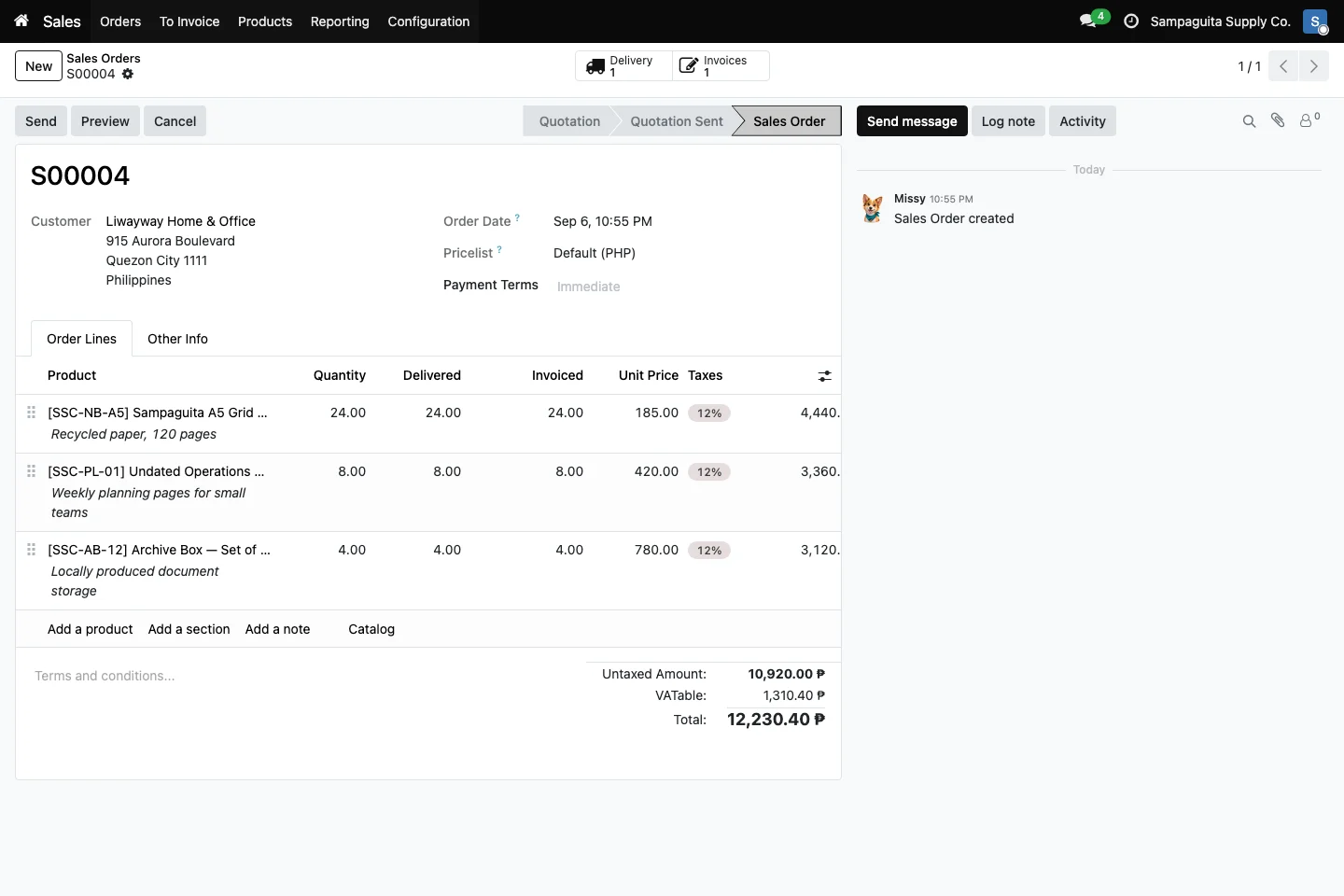
Record customer and supplier payments against open documents. When bank information is available, bank reconciliation tools help the accounting team match bank activity with entries in Cayamanan. Available file formats and exact steps depend on your bank and the apps in use.
The steps can vary based on the tools your team uses and each person's role.
What you see can vary with the apps in use and your setup.
The Cayamanan build includes Philippine accounting localization. Your accountant should still review your company setup and reporting duties.
We do not make that blanket claim. Compliance depends on configuration, procedures, documents, current rules, and any required registration or accreditation.
Bank import and reconciliation support depends on the installed modules and the file format provided by your bank.