Prepare before goods arrive
Purchase orders can create expected receipts so warehouse staff know what to check and where it came from.
Follow receipts, deliveries, locations, and product quantities while keeping the source order close by.
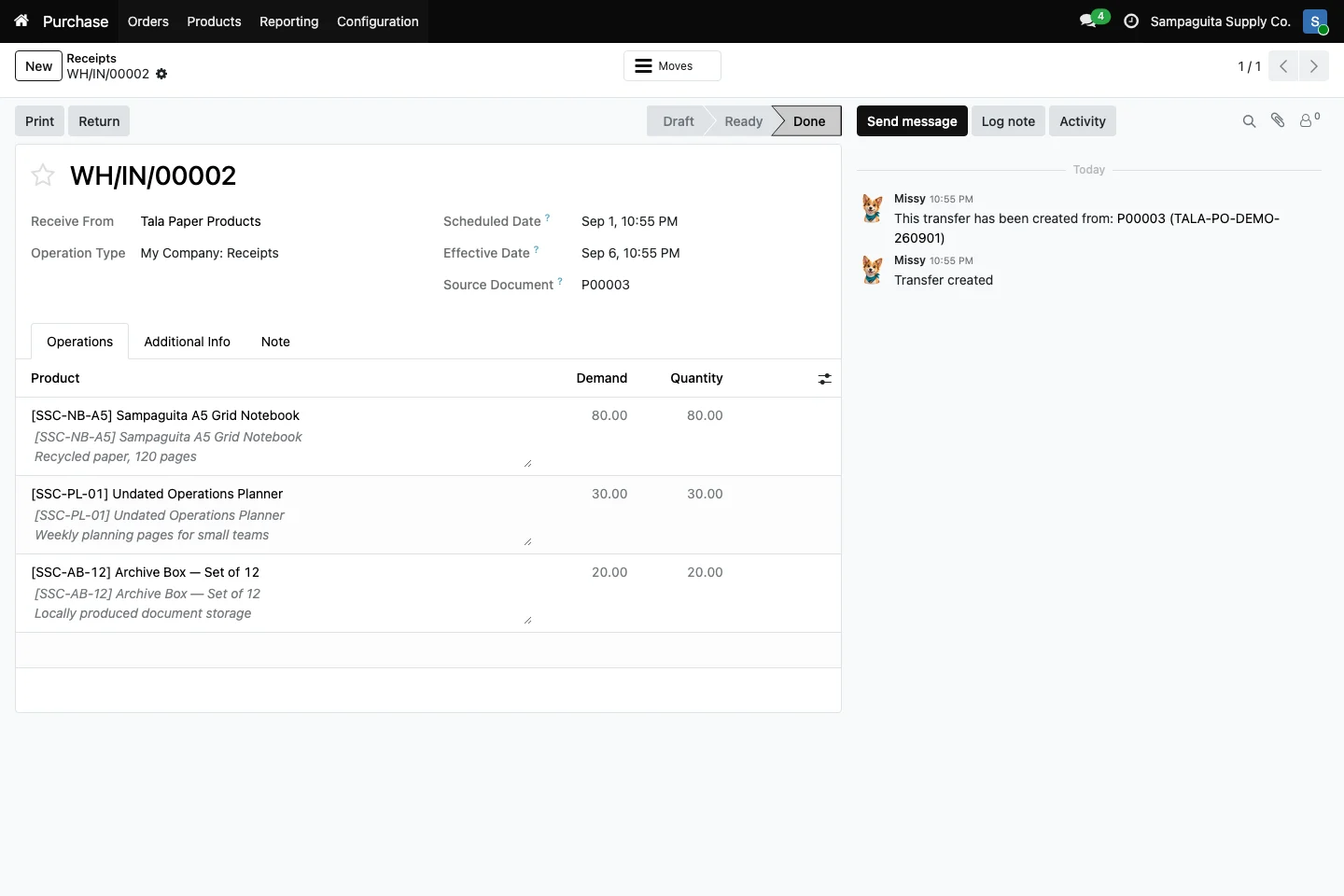
Stock problems often begin with a missing handoff: Purchasing expects an arrival, Sales promises a delivery, and the warehouse learns about it late. Cayamanan connects those teams. Incoming and outgoing movements keep their source documents, products, planned dates, quantities, and status in one shared system.
Purchase orders can create expected receipts so warehouse staff know what to check and where it came from.
Confirmed sales orders can create delivery work with the right customer and product context.
Review where products came from, where they are going, and whether the movement is waiting, ready, or done.
A receipt shows the supplier, planned and completed dates, source purchase, products, expected quantities, and completed quantities. Your warehouse team can work from the same information that Purchasing used, reducing calls and handwritten follow-up.
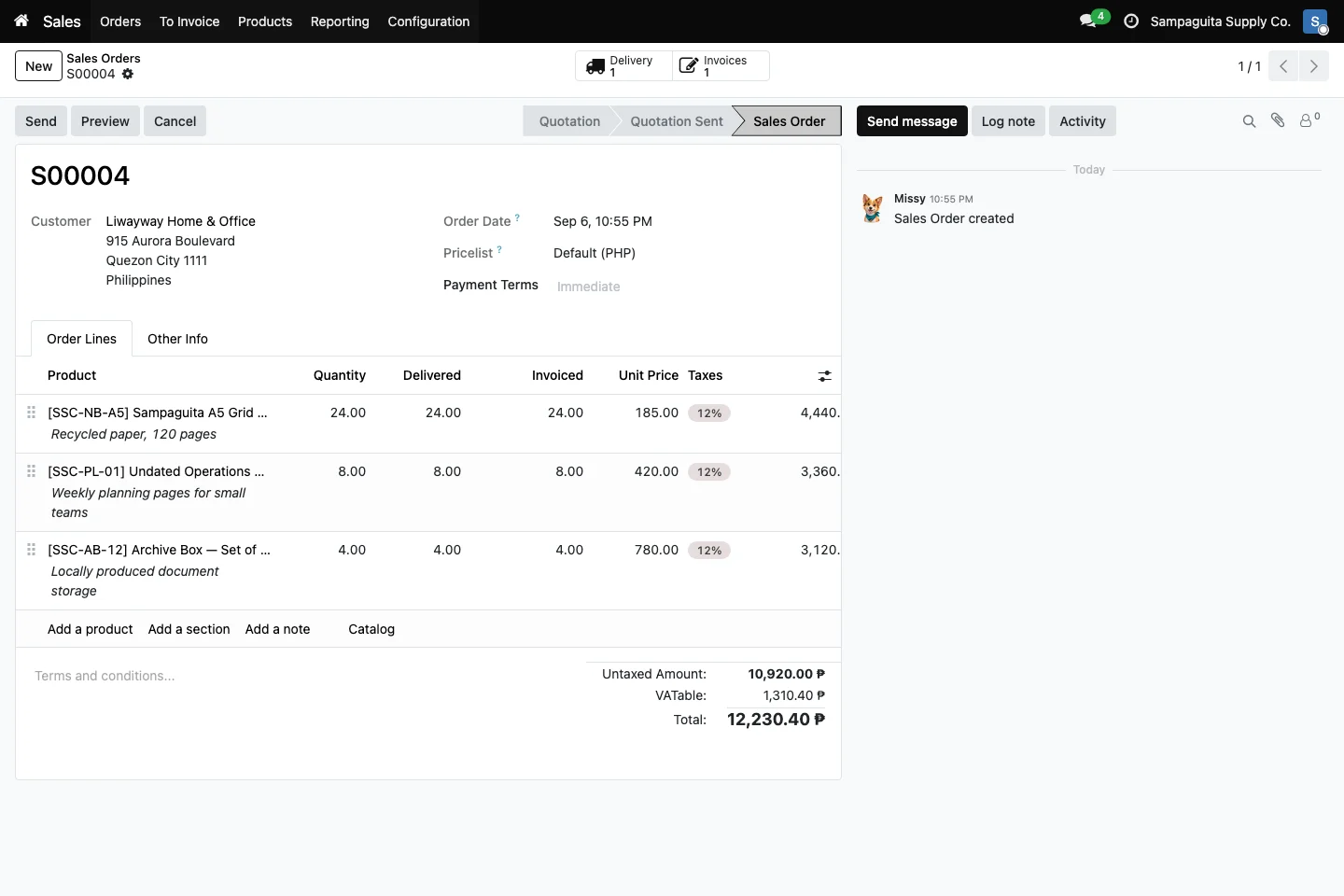
With Sales installed, confirmed orders can prepare outbound deliveries for stockable products. The order shows its delivery link, while the warehouse sees what the customer is expecting. Delivered quantities return to the order so Sales can answer customers with better information.
Organize products in warehouse locations, use internal transfers when items move, and perform inventory counts to compare the system with the shelf. Product variants let you manage related options while preserving a shared product structure.
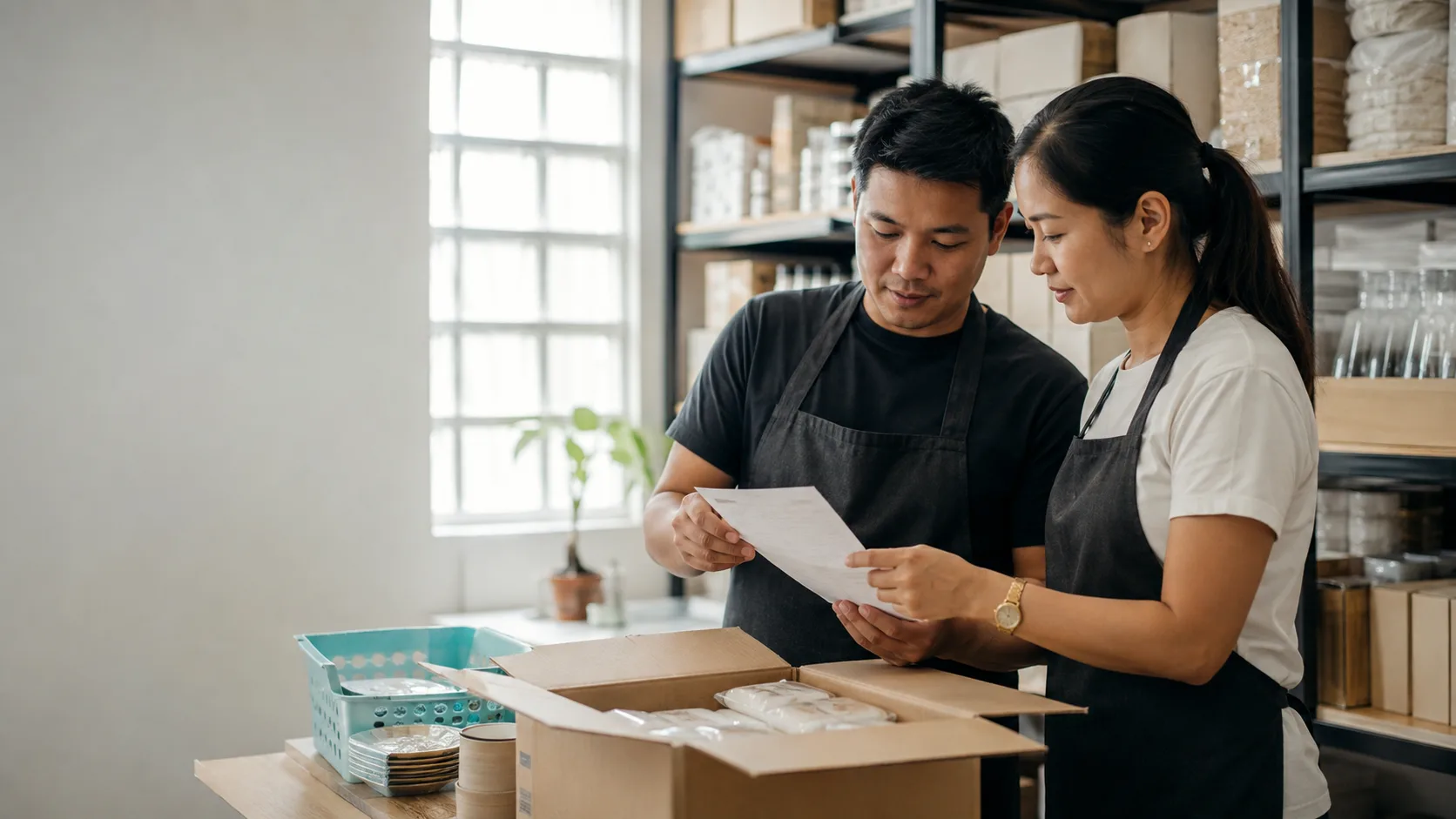
The steps can vary based on the tools your team uses and each person's role.
What you see can vary with the apps in use and your setup.
Yes, but connected modules provide richer source information for incoming and outgoing work.
Yes. Locations and warehouse flows can be configured to match the level of control your operation needs.
Yes. Related options such as size or color can share a product template while keeping their own variant records.